
Setup
Select at least one tracker and press the  button.

A window will appear to setup the tracker.
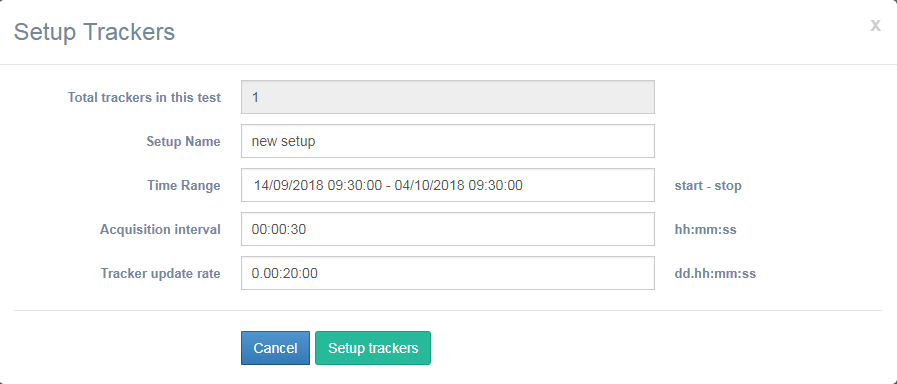
On the Total trackers in this test field appears the number of all trackers selected.

Define a setup name.

Define the Time Range, start time and stop time for this setup.

Define the Acquisition interval. The acquisition interval is the time between acquisitions.

Define the Tracker update rate. The update rate is how often data from each tracker is displayed (temperatures, alarms, positions)

After all fields are defined press Setup trackers to setup the trackers.
The status will blink and will remain this until the tracker connecting to the server and takes the commands.
After this the status of the tracker will be 
When the setup reaches the stop time, the tracker status will change in 